Free template · Excel and Google Sheets
Free profit and loss statement template for the self-employed
Type in each month’s income and expenses, and the template adds up your profit. Then pick the months and print a one-page profit and loss statement: the page landlords, lenders and mortgage brokers ask self-employed people for. The categories follow IRS Schedule C, so your year totals are also a head start on your tax return.
Excel file (.xlsx), 25 KB. No email or sign-up. Opens in Excel and Google Sheets.
What’s in the template
- Start Here. Your business name, your name and the year, with short instructions.
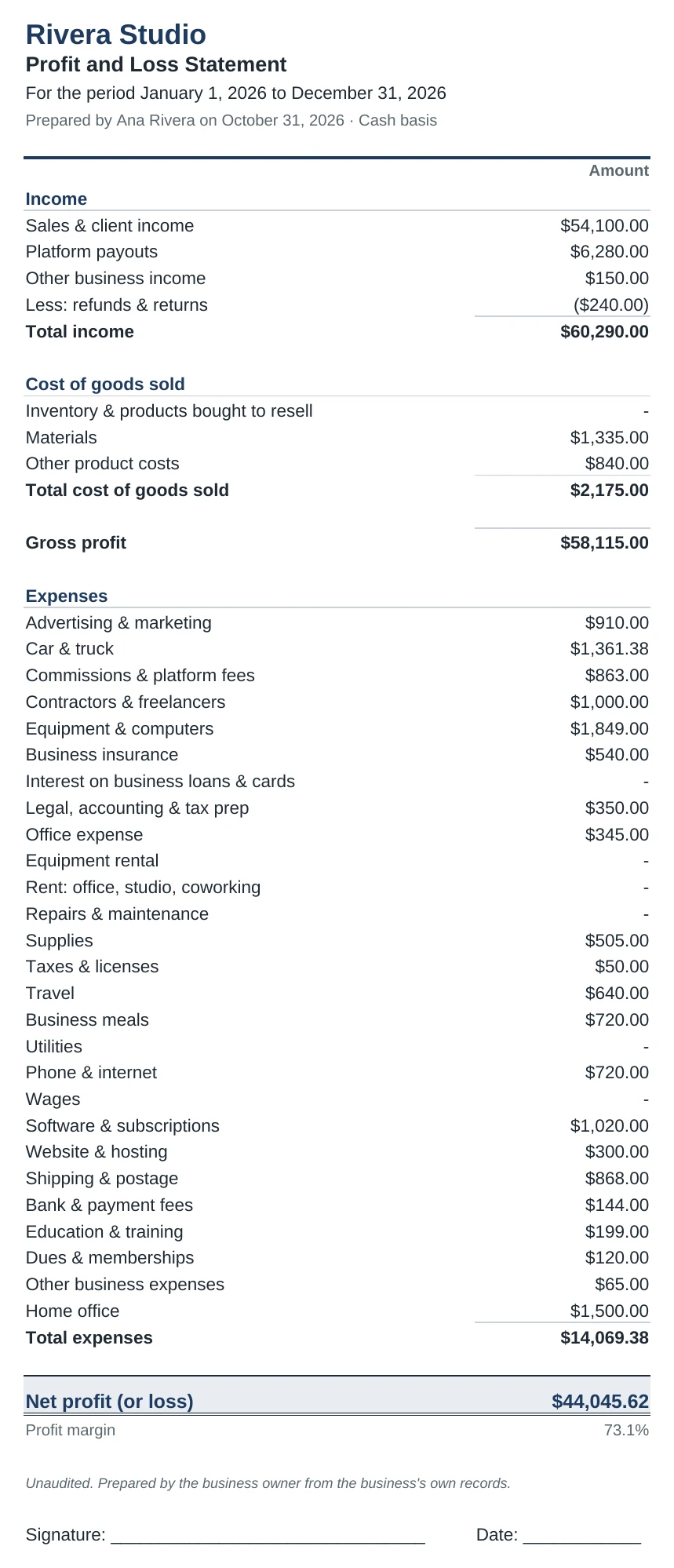
- Monthly P&L. A row for each kind of income and expense, a column for each month. Totals, gross profit, net profit and profit margin fill in by themselves. Business miles turn into a car deduction at the 2026 IRS rates: 72.5¢ a mile through June, 76¢ from July 1.
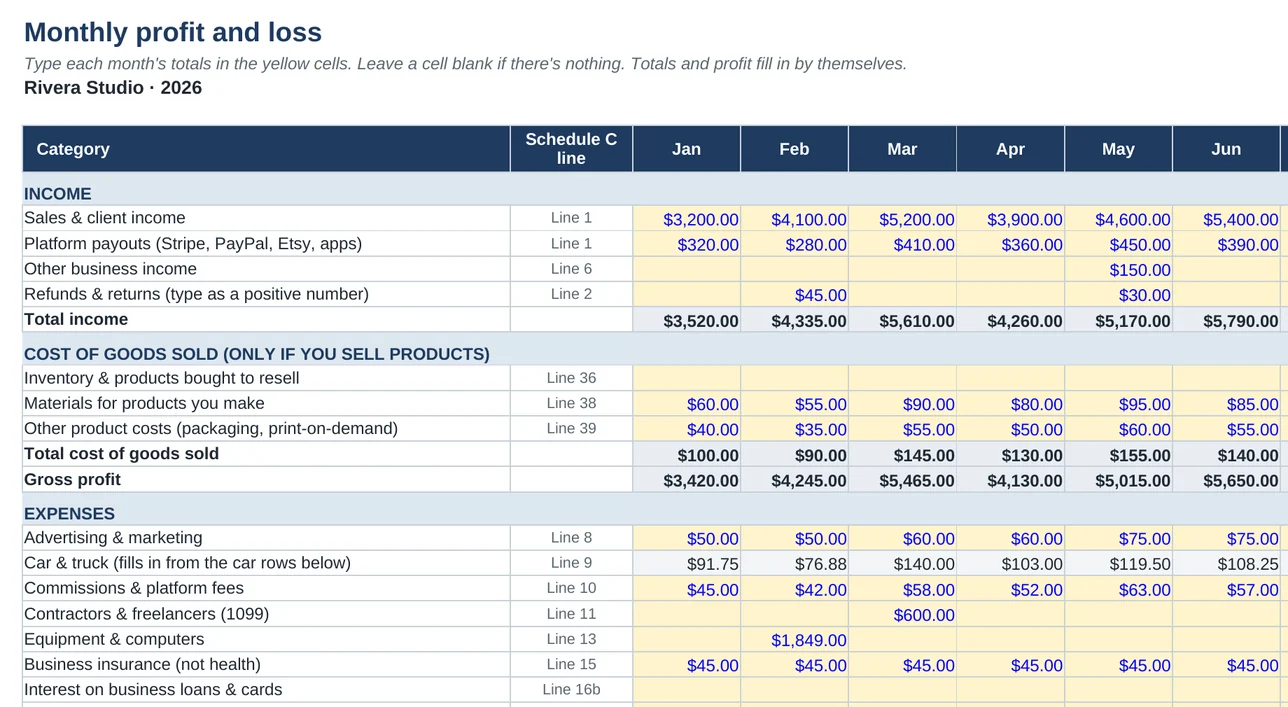
- P&L Statement. Pick a range of months and print a one-page statement with your business name, the period and a signature line. January to December gives a full year; January to this month gives year to date.
- Example. A year filled in for a made-up freelance designer, so you can see what goes where.
What a profit and loss statement shows
A profit and loss statement (a P&L, also called an income statement) sums up your business over a stretch of time in three steps:
- Total income: everything customers and platforms paid you, minus refunds.
- Gross profit: total income minus the cost of the goods you sold. If you sell services, it’s the same as total income.
- Net profit: gross profit minus your business expenses. Your self-employment tax and income tax are figured from this number.
Without a pay stub, a P&L is how self-employed people show what they earn when they rent an apartment or apply for a loan or mortgage, usually alongside their tax returns. It’s also the quickest way to see whether the business made money this month.
How to fill it in
- Get your numbers. Download each month’s transactions from your bank and card as a CSV file, or work from your statements.
- Total each category for the month and type the totals into the yellow cells. Not sure where something goes? Our Schedule C guide covers every expense line.
- Add your business miles from your mileage log. The template uses the IRS rate for each month and adds parking and tolls.
- Open the P&L Statement tab, pick the first and last month, and print it or save it as a PDF.
A P&L isn’t your tax return
Your year totals line up with Schedule C, but a few things work differently on the form:
- Business meals: the P&L shows what you spent, and Schedule C deducts 50% of it.
- Equipment: big purchases are often deducted in full the year you buy them, but some have to be spread over several years on Form 4562.
- Home office: the simplified method is $5 a square foot for up to 300 square feet, so up to $1,500 a year, and the deduction can’t be more than your profit.
- Income tax and estimated tax payments aren’t business expenses, so leave them out.
To see what you owe each quarter, put your net profit into the free 1099 tax calculator.
Rather not add it up by hand?
The Paid & Filed Workbook ($29) does the adding for you. Paste in your bank’s CSV and it sorts every transaction into these same categories, builds your monthly P&L and Schedule C, and works out your quarterly tax payments.